Enter Net Availability
To enter availability for nets, please click here.
You can do this via your web browser or by downloading the ‘Google Sheets’ Mobile App.
We are limiting net sessions to 6 members per net. Selection for nets will be made at the start of the week and we will do our best to ensure that all members can attend a training.
Setting availability on Mobile App
If you haven’t already done so, download the ‘Google Sheets’ app from the App Store:


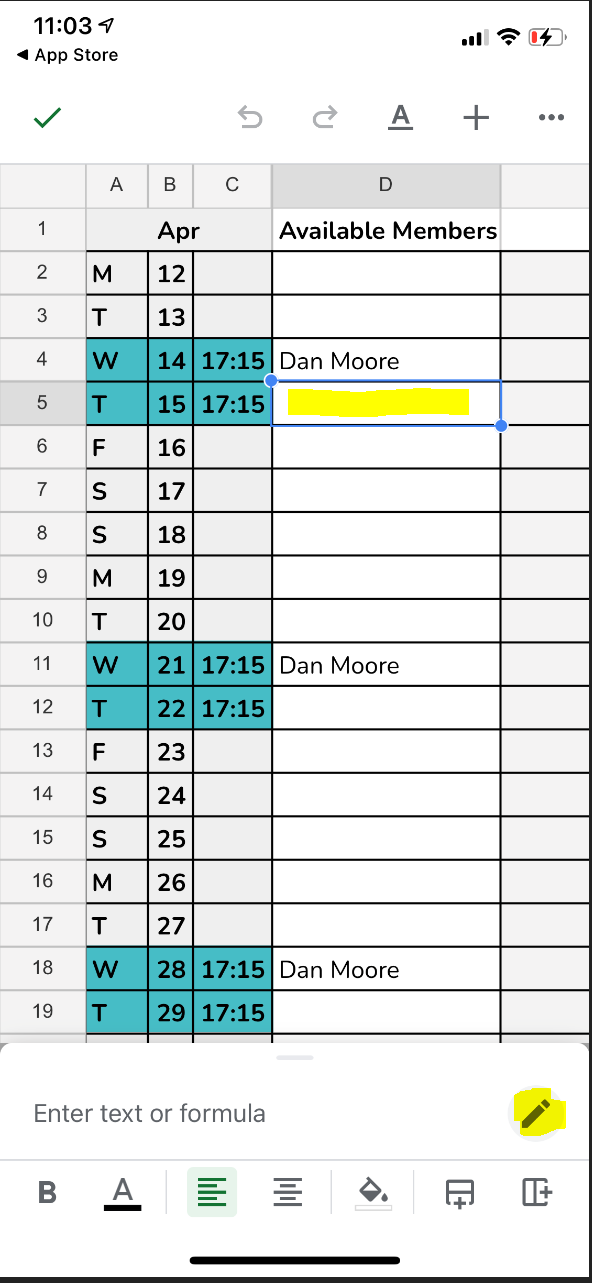
1. When on the ‘Availability’ sheet, click on the cell you wish to add your name in then click on the pen icon at the bottom right corner as highlighted in yellow below.
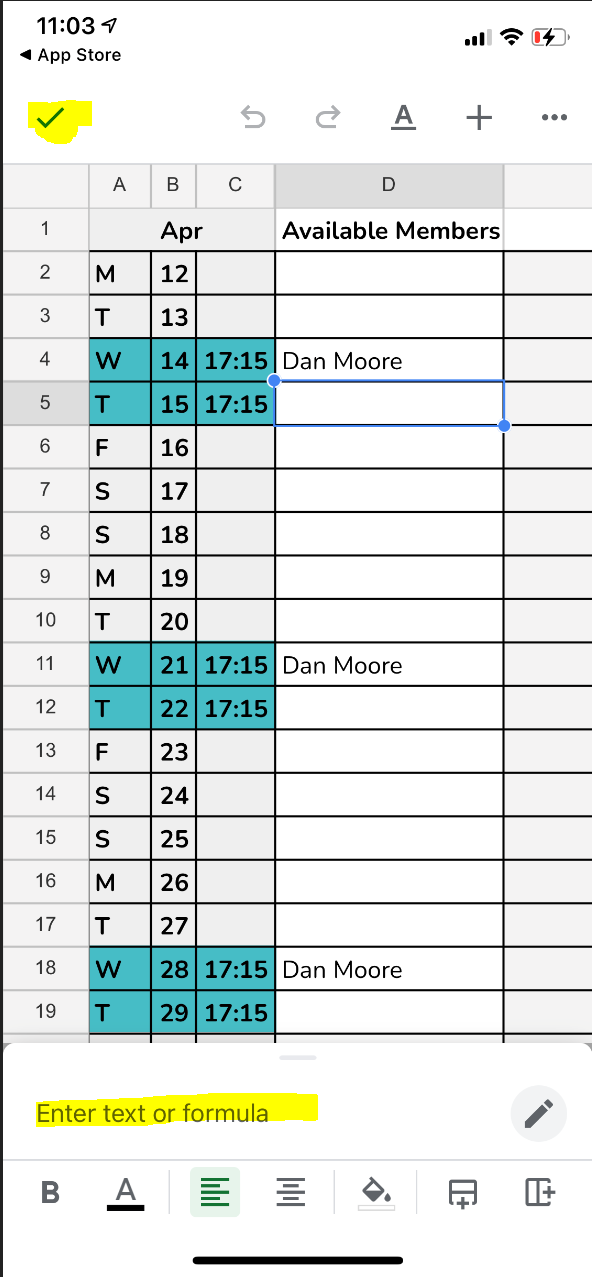
2. Enter your name in the text field at the bottom and then click the tick at the top left hand corner.